

Classic UI Retiring May 5th: Spotlight on the New Mojo Experience Upgrades
The Mojo Classic UI retires on Tuesday, May 5th, 2026.
Over the past several months, agents shared what was missing on the New Mojo Experience and what wasn't working. We listened, and we built. Here is everything waiting for you in the New Mojo experience.
New Mojo Experience exclusive features
- Felix AI is Mojo Helpdesk’s secure built-in AI assistant. Summarize threads, improve draft replies, get KB article suggestions, and detect customer sentiment.
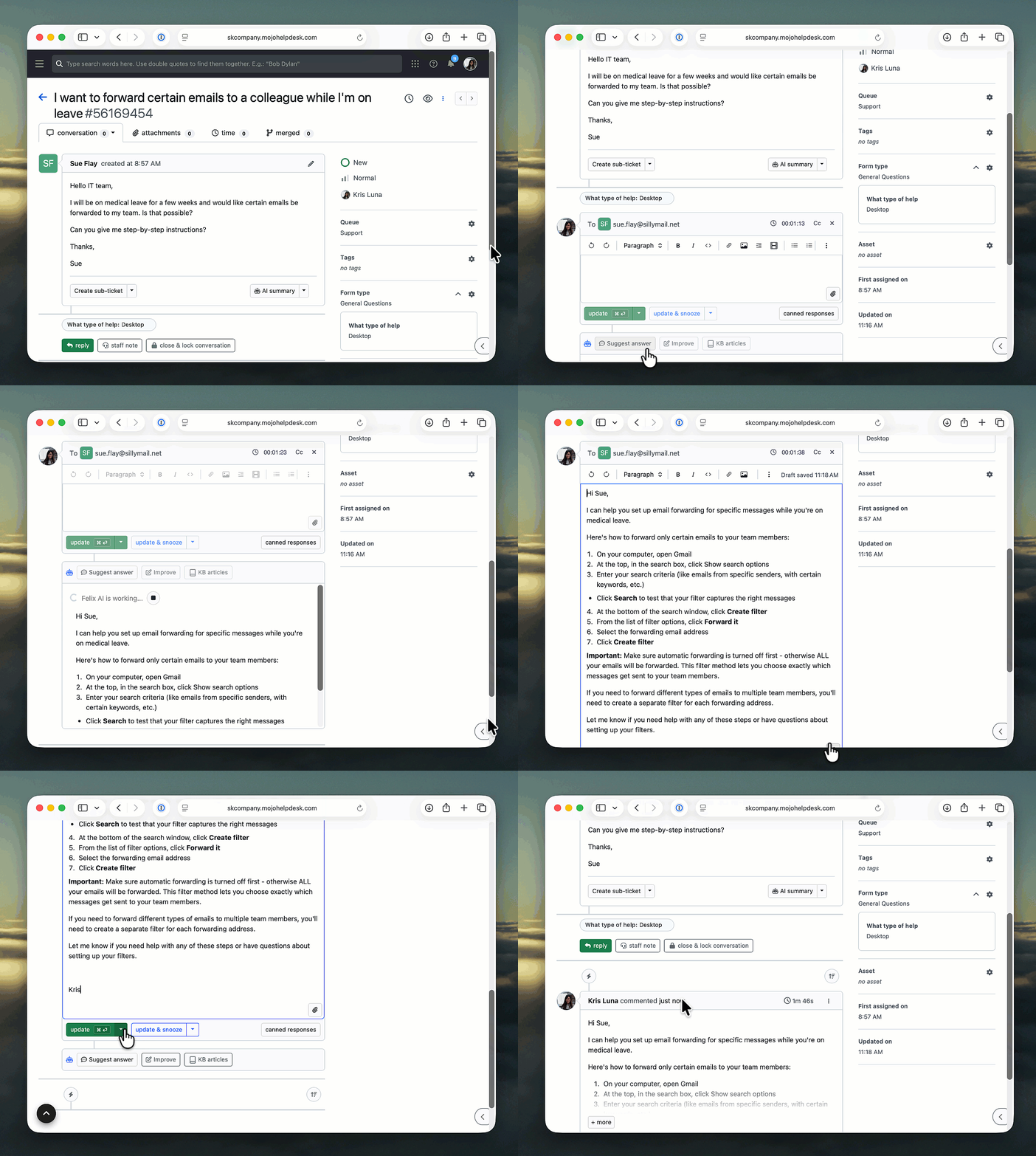
- Parent-child tickets keep related requests organized under one ticket.
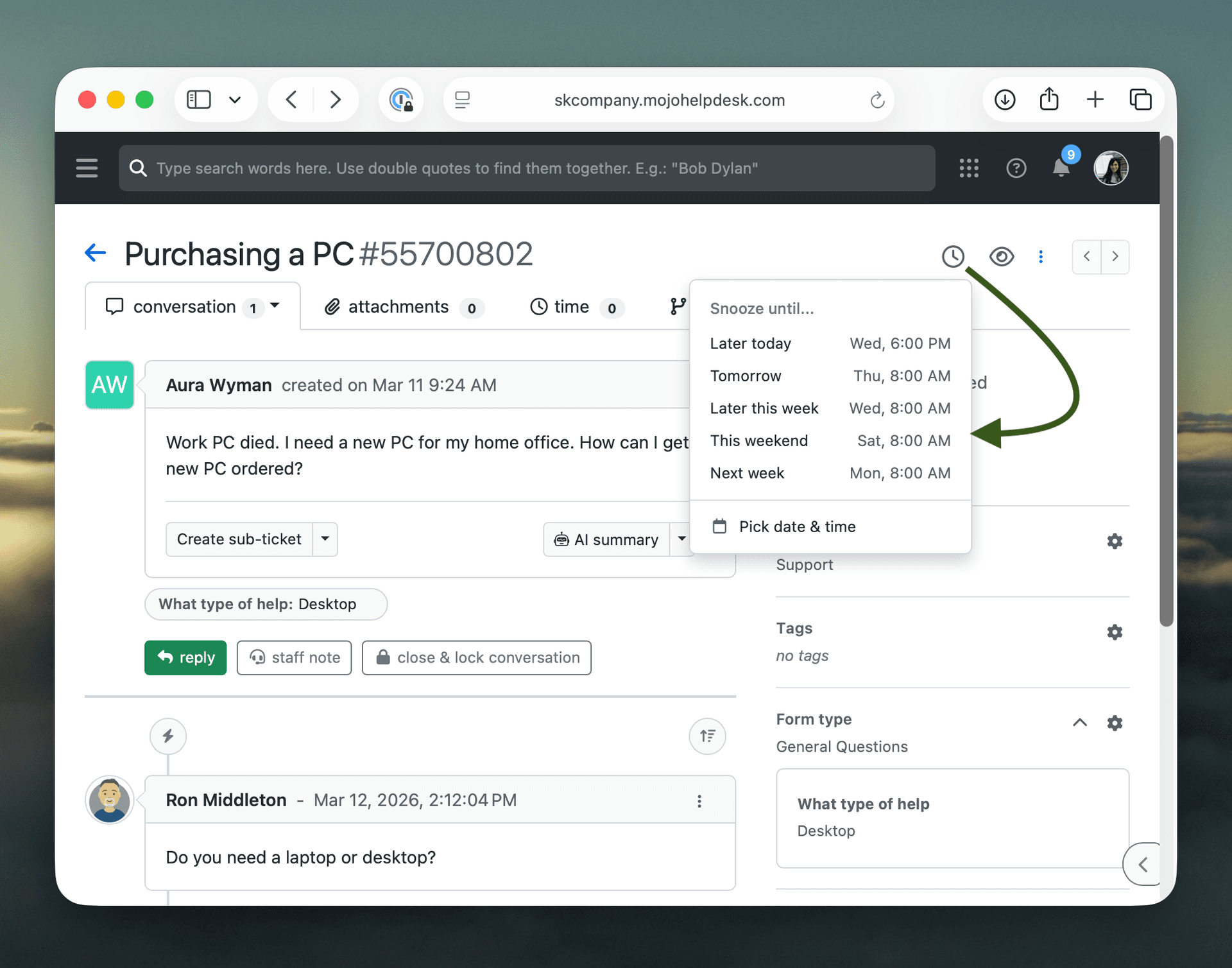
- Ticket snooze lets agents set a ticket aside and bring it back at the right time.
- Collision detection alerts agents when someone else is already responding to a ticket.
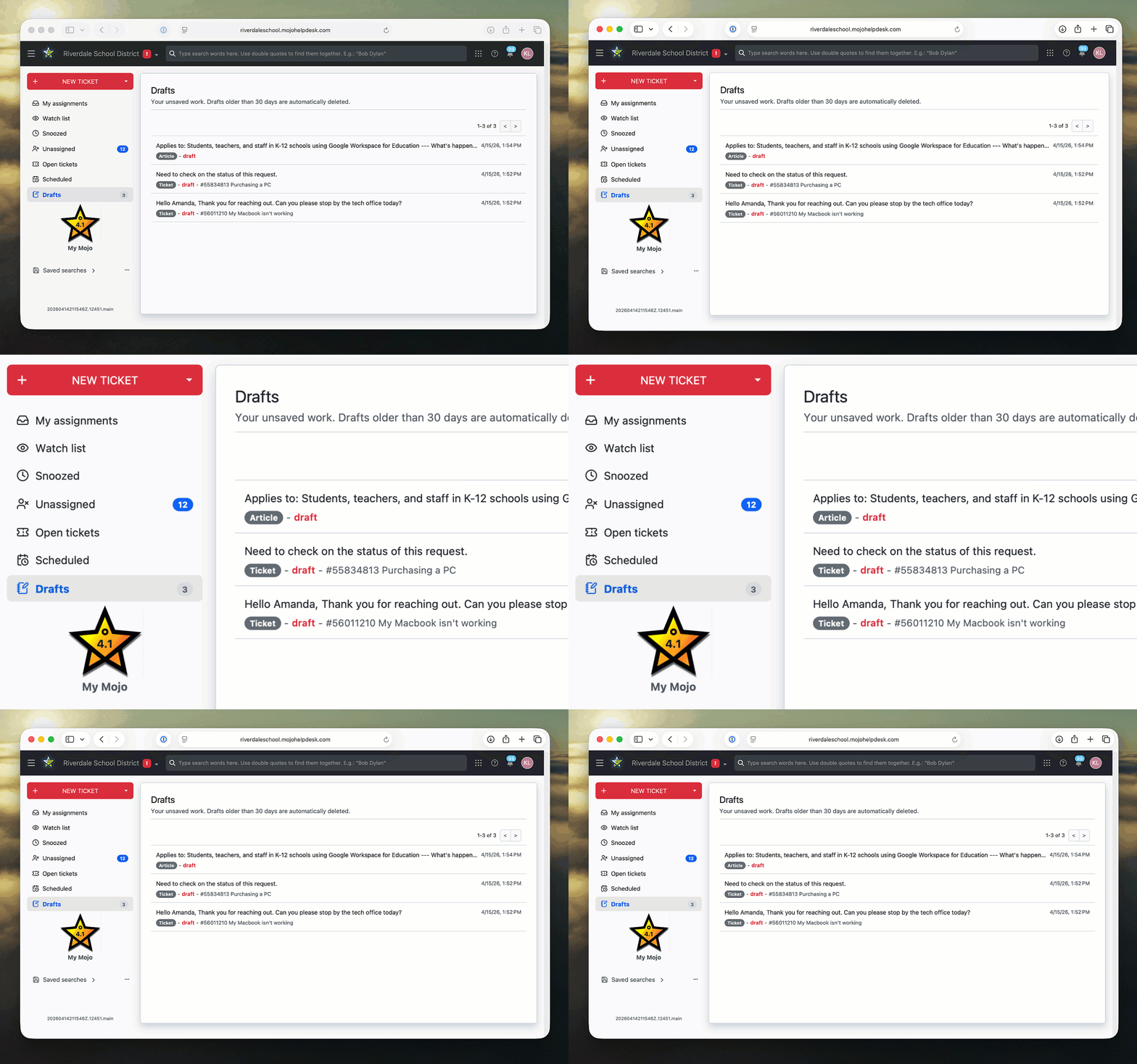
- Auto-saved drafts keep comments, KB articles, and canned responses saved automatically, with a centralized folder to pick up where agents left off.
- Right-click quick actions give agents faster access to common actions without opening the ticket.
- The contact side panel gives agents quick access to a ticket creator's contact information and ticket history, without having to leave the ticket.
- Use your own email server, whether that is Microsoft 365 or Google Workspace, to improve email deliverability.
A more accessible Mojo
Accessibility was a core focus in building the new Mojo experience. Keyboard navigation, screen reader support, and visual improvements like contrast and text spacing have been updated across the agent and user portal.
Enhancements based on your feedback
A more powerful, customizable ticket list
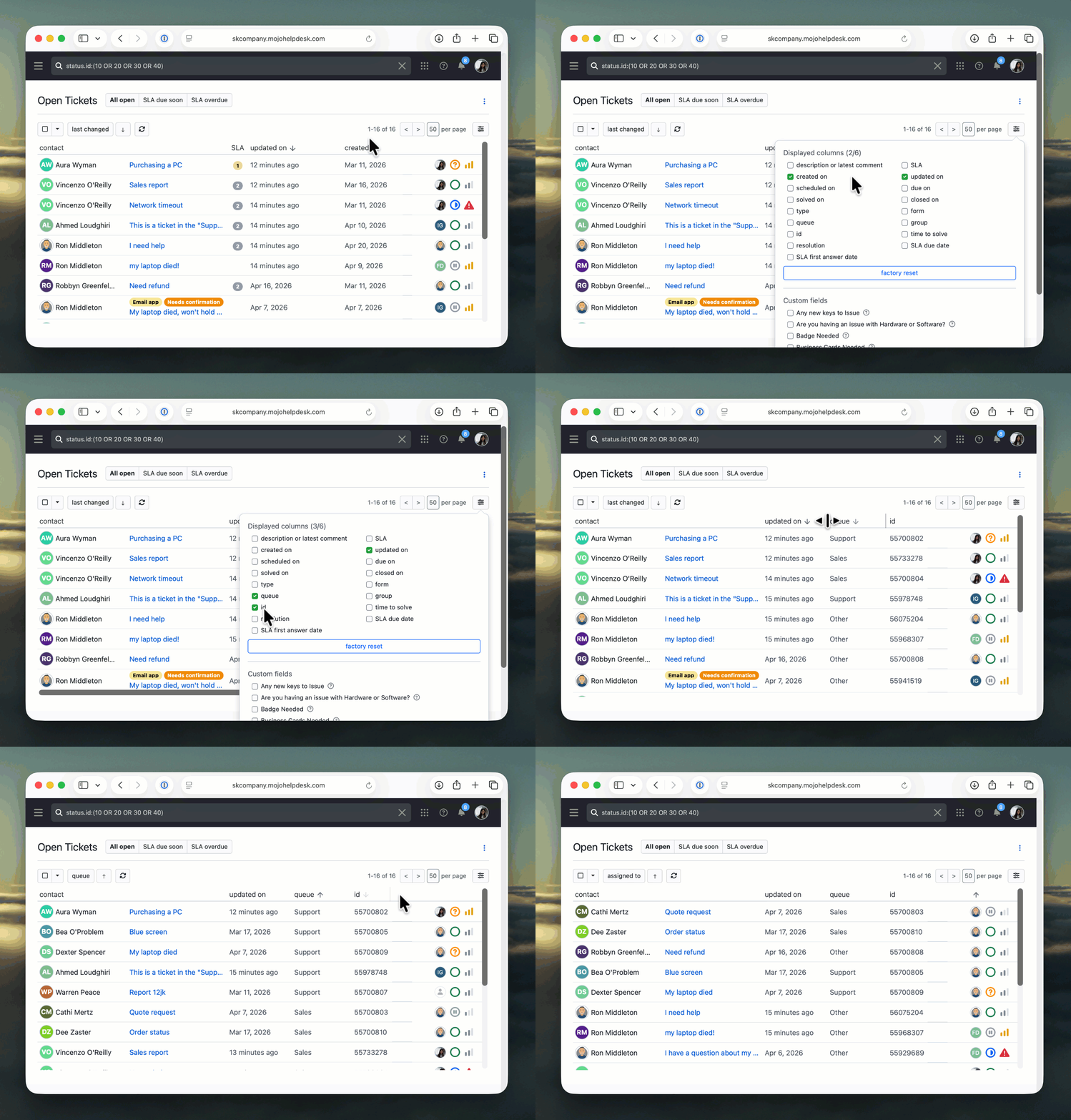
The ticket list received a significant overhaul. The layout is more compact so more tickets are visible at once. The header row stays fixed while scrolling, with click-to-sort on every column. Agents can choose which columns to display, reorder them with drag and drop, and resize them. Each ticket now shows the latest message alongside the title, making it faster to scan and prioritize, similar to an email inbox.
A richer ticket detail view
The ticket detail view went through a careful redesign surfacing key information immediately. Key fields like status, priority, and assignee now sit on a single line. Custom fields appear below the ticket description.
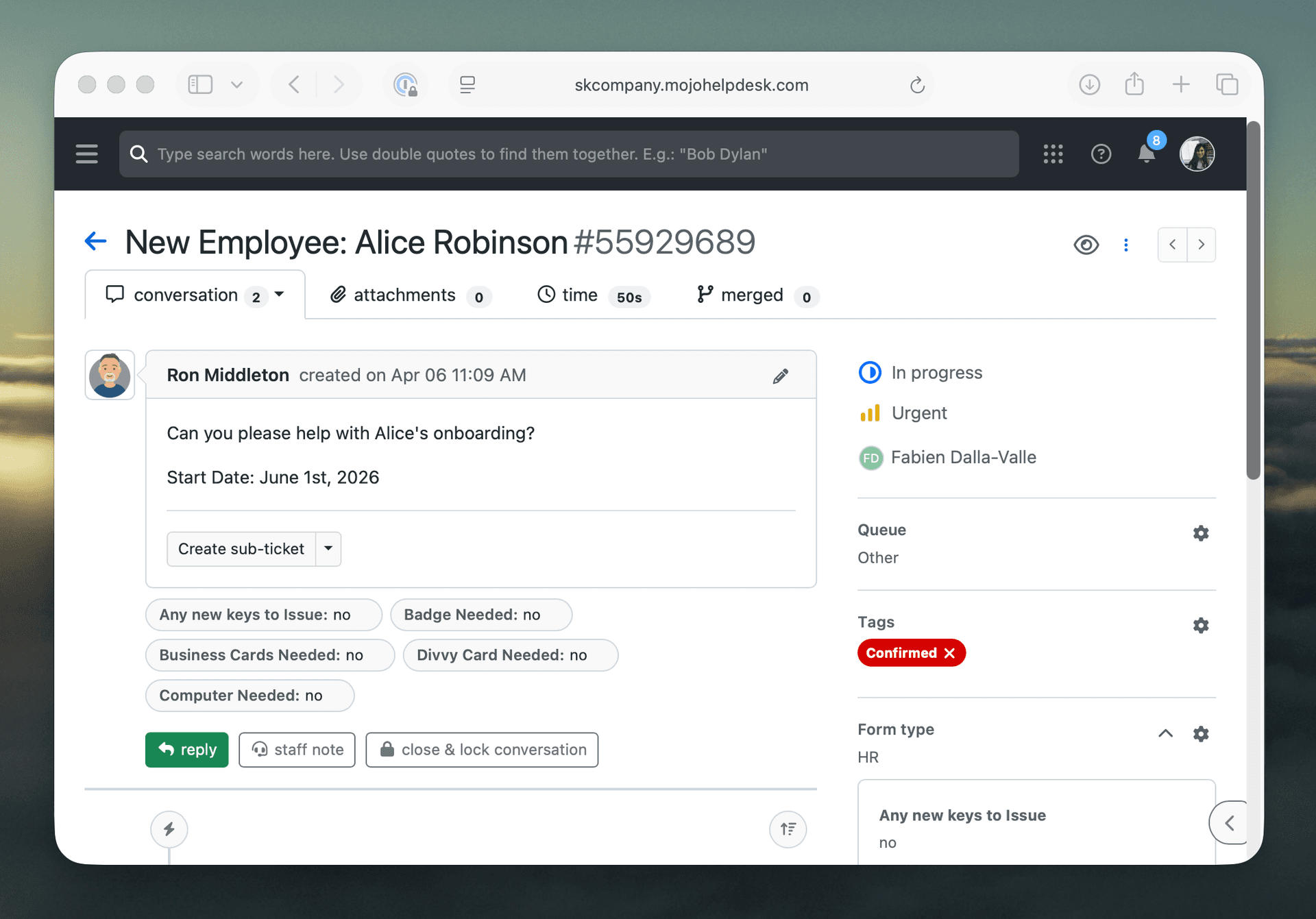
Attachments, including images, PDFs, video, audio, and text files, can be previewed without downloading. A new event log shortcut makes the ticket history easier to see. When it is time to respond, agents can reply and update the ticket status in one click.
Other improvements
Your feedback shaped the big updates and the small ones too, including dozens of UI and UX refinements throughout the interface.
- Color and text size adjustments make the interface easier to read.
- Printing output was optimized to include more data.
- Filters reset cleanly on every new search, so leftover criteria no longer affect results.
- The left-hand navigation menu can be collapsed to free up more screen space.
Clearer status and priority at a glance
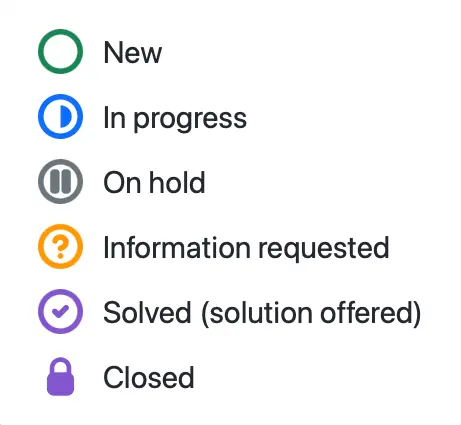
Ticket status and priority icons have been redesigned to be recognizable at a glance. Status icons reflect the natural flow of work, from an open circle for new tickets to a lock for closed ones.
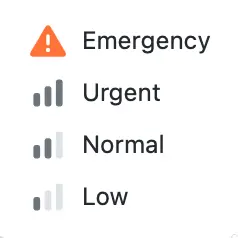
Priority uses a signal strength icon, a familiar pattern that communicates urgency without words. When managing high volumes, these small details add up to a noticeably faster, easier to scan ticket list.
Coming soon: agent notification controls for Admins
Additionally, Admins will soon be able to configure notification settings for individual agents, giving greater control over when and how agents are alerted.
Questions?
Here is what to expect over the next few days.
- Thursday, April 30th: All agents will be moved to the new Mojo experience. The option to switch back will still be available for a few days.
- Tuesday, May 5th: The classic UI will no longer be available. All agents will be migrated to the new Mojo Experience.
Not sure which UI you are on? Check the upper right corner of your screen, between the search bar and the waffle icon.
- If you see "try the new Mojo experience," you are still on the classic UI.
- If you see "back to Mojo classic UI," you are already on the new experience.
- If you do not see either option, you are already on the new Mojo experience and no action is needed.
Questions or need a walkthrough? Reach out at success@help.mojohelpdesk.com.